 LandedLane
For the miles between rides
Know when the airport is worth the drive, and log every mile.
One place for airport timing and your driving record. Made for rideshare drivers who work airport pickups, with a clear view for the night shift.
Coming soon to the App Store
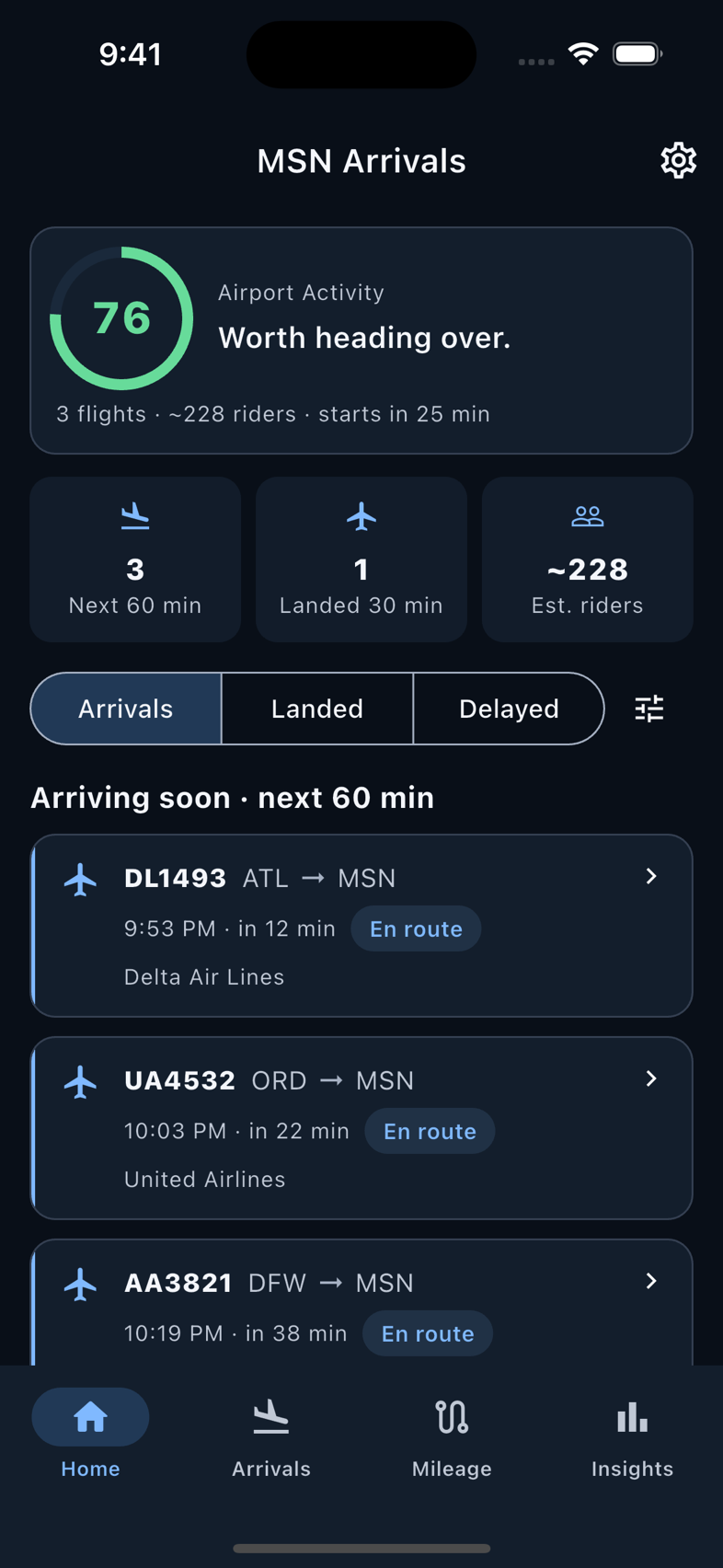
Check the airport before heading over. Start a trip when you drive. Keep a record you can come back to. Clear information, without another busy screen.
01 / AIRPORT TIMING
A little context before the drive.
See arrivals, an airport activity score and estimated pickup windows together. Grouped arrival waves help you understand when riders may be ready.
- A score from 0 to 100, with a plain-language recommendation
- Pickup windows and estimated passenger counts
- Flight details and arrival status at a glance
02 / MILEAGE THAT KEEPS UP
Start the drive.
Keep the miles.
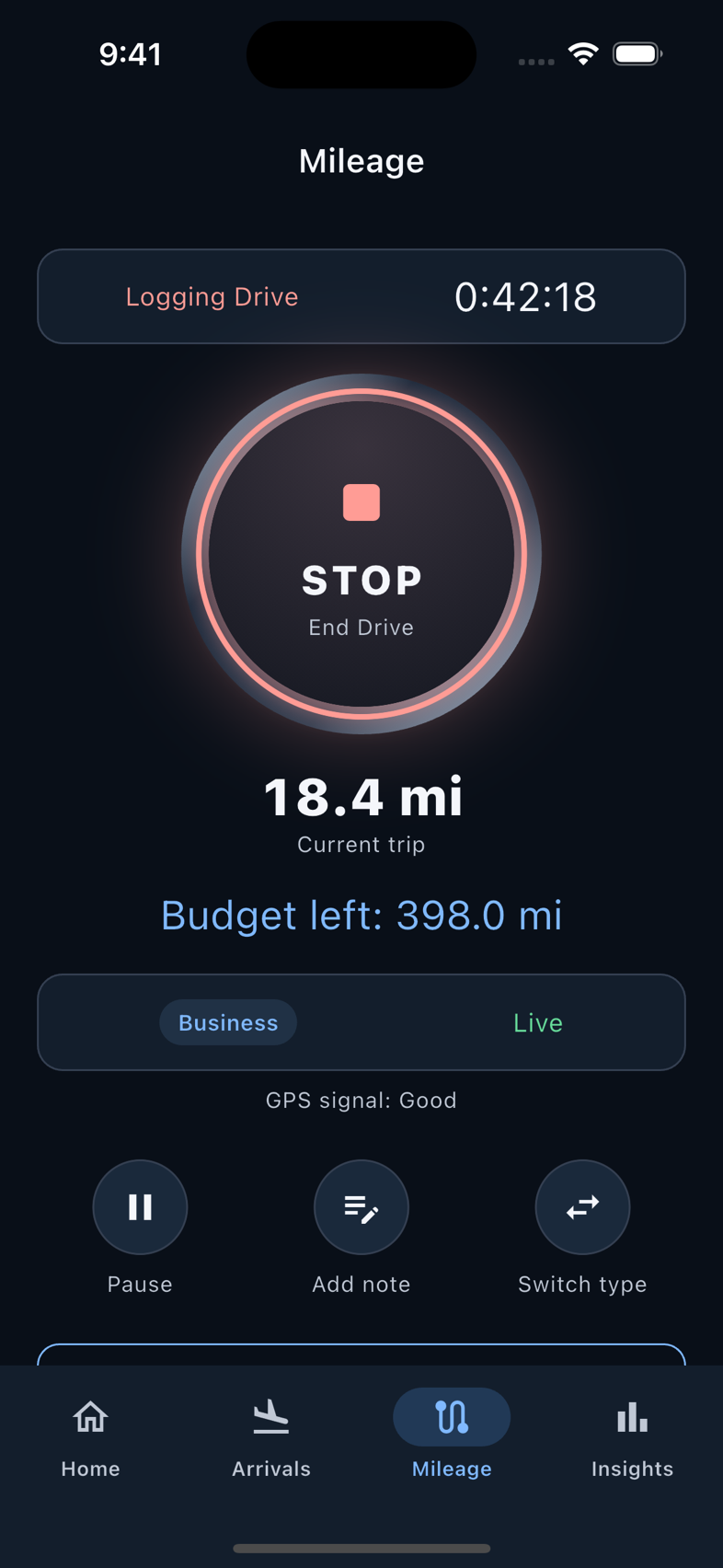
Press Start to record a GPS trip. Pause for a break and resume when you drive again, with optional automatic pause and reminders for stops that run long.
- Business and personal trips, kept separate
- Live distance and an optional weekly mileage budget
- Manual entry and odometer readings when you need them
You start and end each trip. There is no automatic trip detection.
03 / A RECORD YOU CAN USE
The week’s driving.
All accounted for.
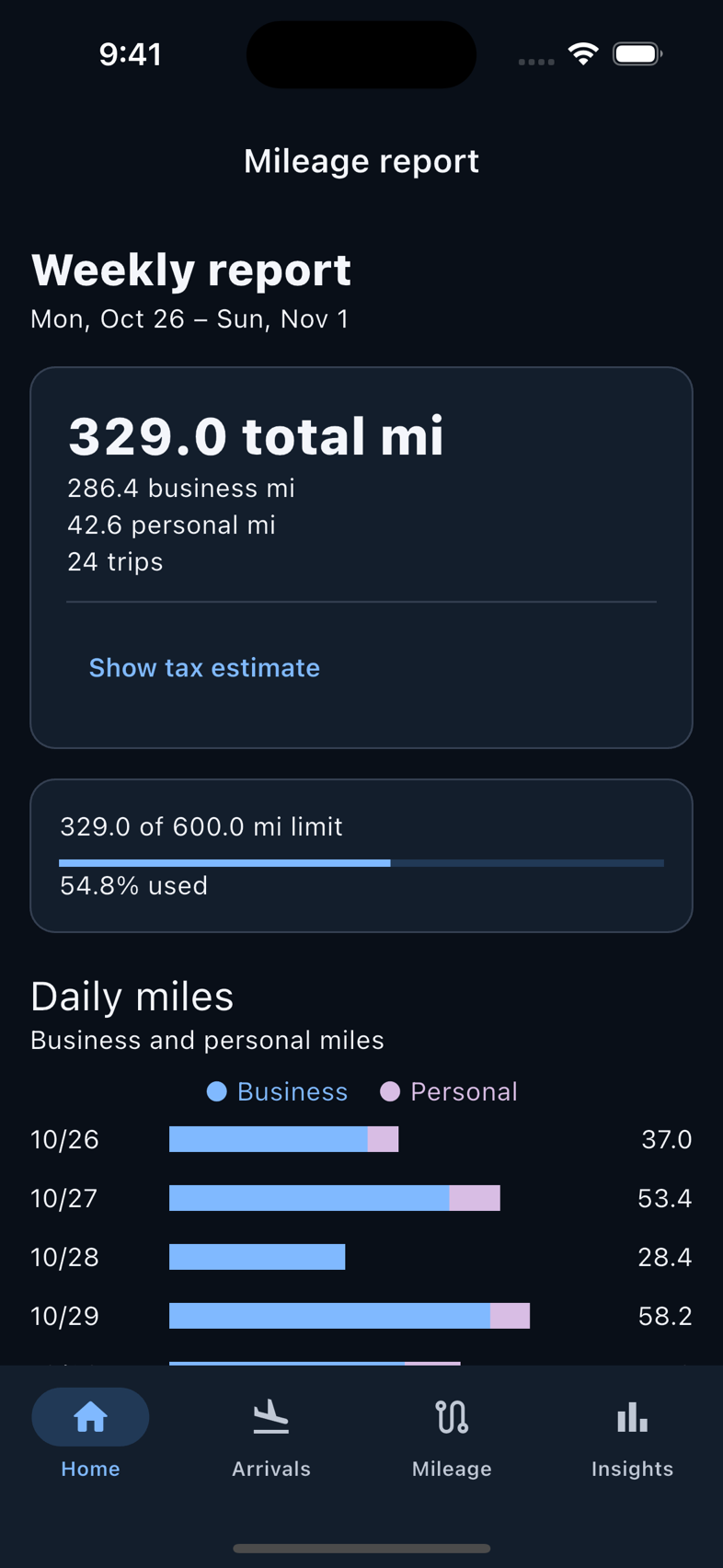
Review business and personal miles, create reports for a date range, and export your trip record as CSV. Scheduled reports keep the routine simple.
- Trip counts and daily mileage totals
- Weekly, biweekly, monthly or custom reports
- An optional estimated business-mile deduction
Deduction estimates are informational. Eligibility depends on your circumstances; keep your own tax records.
Less to keep in your head
A clearer view of the next drive.
LandedLane is coming to iPhone. In the meantime, explore how it works or get in touch at support@landedlane.com.